

Reference

p6000 App for Android and iOS

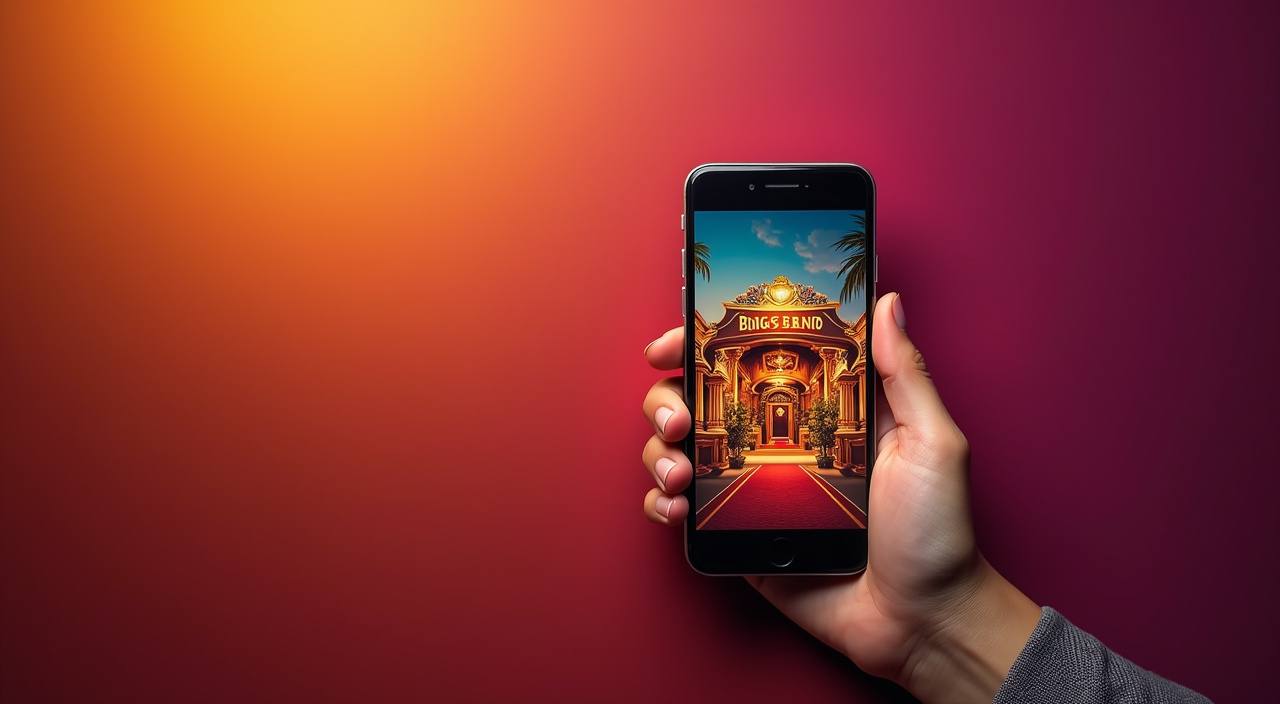
The p6000 app puts live casino tables, slot rooms and sportsbook markets on your phone — one tap from the lobby, whether you are on Android or iOS.

AndroidiOSAPK 30MBPush AlertsFingerprint Login
p6000 p6000 App for Android and iOS
p6000 Lobby, Betslip and Tables in Your Pocket

Lobby, Betslip and Tables in Your Pocket

Open Blackjack or Cash or Crash from the live lobby, place a football bet mid-match, or browse slot rooms like Gates of Olympus — all from the app without switching tabs. Push notifications alert you when a table opens or your withdrawal clears. Quick-deposit via UPI or PhonePe takes under a minute, and fingerprint login means your account is one touch away

every time you return.
APP FEATURE SET

Six Things the App Does Differently

Every feature below was shaped around how India players actually use a mobile lobby — fast login, low data use and instant alerts when something you care about…

Biometric Login Fingerprint or face-unlock gets you into your account in under…
Push Notifications Opt in to alerts for live table openings, withdrawal status…
Dark Mode Switch the interface to dark mode for night sessions.
Offline Lobby Preview Browse game tiles, read paytables and check recent match schedules…
Quick Deposit Strip A persistent chip row at the bottom of the screen…
Compact APK Size The APK weighs around 30 MB, which means it installs…
p6000 Install the p6000 App in 3 Steps

Install the p6000 App in 3 Steps

Android users download the APK straight from this page — no app store required. iOS users follow the Safari install prompt. The whole process takes about two minutes on a typical Indian mobile connection, and your account carries over automatically once you sign in.

  • Step 1 – Download the APK — Tap the download button on this page. Your browser saves the p6000 APK file to your device. iOS users will see a Safari install sheet instead.
  • Step 2 – Allow Install from This Source — On Android, go to Settings › Install Unknown Apps, find your browser, and toggle it on. This one-time step lets the system install APKs downloaded outside the Play Store.
  • Step 3 – Open the App and Sign In — Tap the installed app icon, enter your p6000 account credentials or create a new account, and you land straight in the lobby. Biometric login activates on your first successful sign-in.
DEVICE REQUIREMENTS

Which Devices Run the App

The app is built to run on the wide range of Android and iOS handsets common across India, including mid-range devices. Check the figures below before downloading.

01

Android Version

Android 8.0 (Oreo) or higher

02

iOS Version

iOS 13.0 or higher

03

RAM

2 GB minimum; 3 GB recommended for live tables

04

Storage

50 MB free space after install

05

Supported Regions

Available where local law permits, including supported states in India

SCREENS INSIDE THE APP

A Tour of What You See After You Open It

From the moment the app loads, every section of the platform is within one or two taps.

Live lobby preview
Quick bet slip
Account access
Slot favourites shelf
Deposit strip
Match schedule
p6000 mobile gaming
Google Play App Store
APP HELP CHANNELS

Help When the App Needs It

If you run into an install error, a login issue or a push-notification problem, three support paths are open to you around the clock.

In-App Support Chat Tap the chat icon inside the app to reach the support team directly.
Email Support Send a detailed description of your issue to the support email shown in the…
Install Troubleshooter The app's Help section includes a built-in install-issue checker that walks you through the…
APP SECURITY SIGNALS

How We Keep the App and Your Account Safe

Security in the p6000 app goes beyond a password. Every APK we distribute is code-signed so your device can verify it has not been altered after leaving our…

Code-Signed APK

Every build is signed with our private key before release.

No Third-Party Stores

The app is distributed only from p6000.club. We do not publish to unofficial APK mirrors or aggregators, so the file…

Encrypted Sessions

All communication between the app and our servers runs over TLS.

Account Recovery Flow

If you lose access to your device, the account-recovery screen lets you verify identity via your registered mobile number and…

Biometric Binding

Fingerprint or face-unlock is tied to your device, not shared with our servers.

Automatic Session Timeout

The app logs out after a configurable idle period, reducing the risk of someone accessing your account on a shared…

Why the App Outperforms the Mobile Browser

The mobile browser at p6000.club works, but the dedicated app was built for the way India players actually use their phones — fast reconnection on patchy 4G, biometric…

Login SpeedThe app unlocks with fingerprint in under two seconds. A mobile browser requires you to open the site, wait for it to load and type credentials every session, adding at least 15-20 extra seconds each visit.
Push NotificationsNative push alerts arrive even when the app is closed. A browser tab can only send notifications if you have the site open, and many Indian mobile browsers block background notifications by default.
Offline Lobby PreviewApp users can browse game tiles and check match schedules without an active connection. A mobile browser returns a blank error page the moment signal drops, losing whatever you were looking at.
Reconnection on 4G DropThe app reconnects silently when signal returns mid-session. In a browser, a network drop often kills the live table stream and requires a full page reload, which can take 10 or more seconds on a congested tower.
Quick Deposit StripThe persistent UPI, Paytm and PhonePe chip row is always visible in the app without scrolling. On a mobile browser the deposit section is buried in a menu, requiring three or four taps to reach.
Storage and Data UseThe 30 MB app caches assets locally so it uses less mobile data per session than loading the full site repeatedly. On a limited daily data plan, this difference adds up across a week of regular use.

Frequently Asked Questions About the App

These are the questions the support team hears most often from people downloading and using the p6000 app for the first time in India.

Download the APK directly from p6000.club — there is a dedicated download button on this page. We do not distribute through third-party APK sites, so this page is the only source we verify and keep updated.

Yes. iOS users on iPhone or iPad running iOS 13 or higher can install the app via the Safari install prompt linked from this page. The experience mirrors the Android version including biometric login and push alerts.

Go to Settings, then Install Unknown Apps, find your browser or file manager in the list and toggle on the permission. This is a one-time Android security setting. Once done, tap the APK again and it installs normally.

It is designed to run on Android 8.0 and above with at least 2 GB RAM, which covers most mid-range and budget handsets sold in India platform reference. For live tables, 3 GB RAM gives a noticeably smoother stream.

A quick-deposit chip row sits at the bottom of every screen. Tap UPI, Paytm or PhonePe, enter the amount and confirm in your payments app. Deposits via these rails typically clear in under a minute and appear in your balance immediately.

Your account, balance and history live on our servers, not on your device. Deleting and reinstalling the app simply removes the local installation. Sign back in with your usual credentials and everything is exactly as you left it.

Access depends on local law and is available where local law permits. Check your state's regulations before downloading. The app itself installs regardless, but certain features activate only in supported regions.